
Disabling the Mallow x QBO integration
To disable the QBO integration with Mallow, follow the steps below.
Step 1:
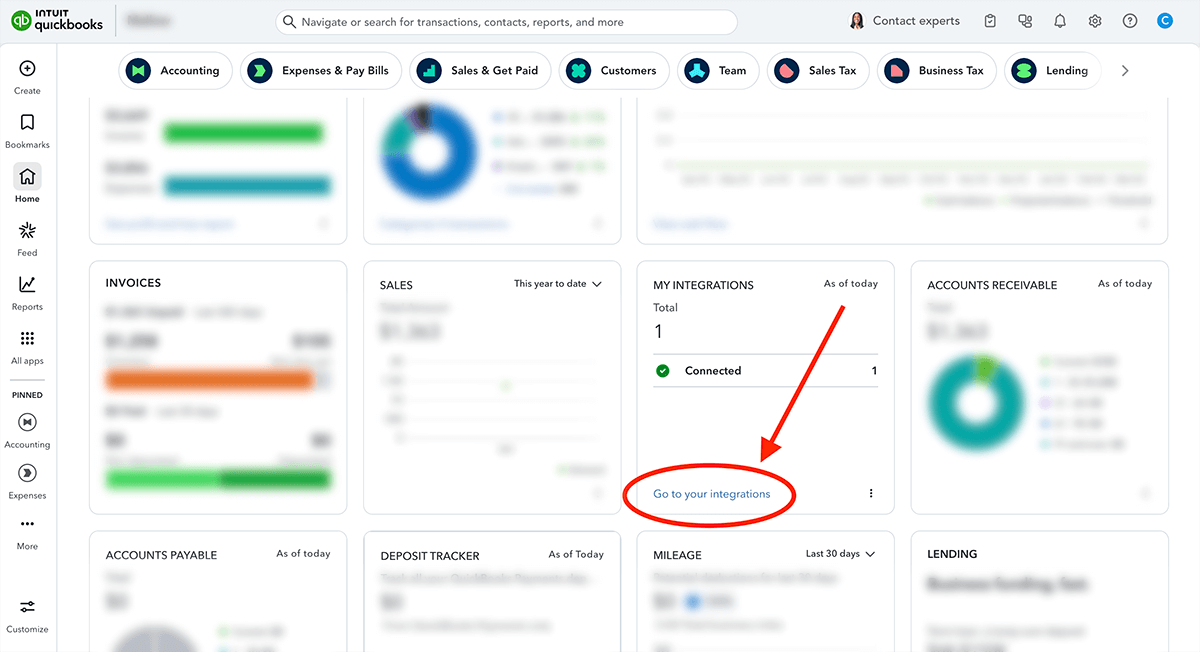
From your QuickBooks Online home dashboard, locate the "My Integrations" widget and click on the "Go to your integrations" link.
Step 2:
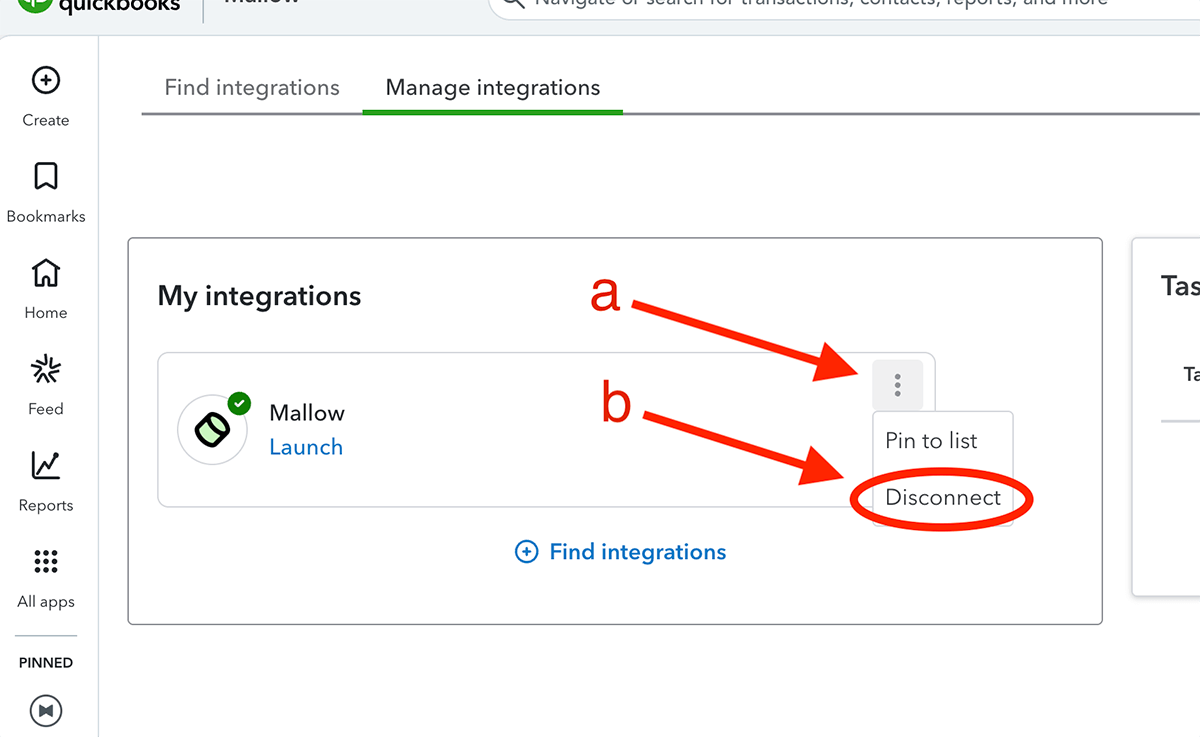
Locate Mallow in your list of connected apps and click on the 3 dots (a).
Select "Disconnect" from the drop-down menu (b).
Follow the on-screen instructions until the app has been successfully disconnected.
Was this helpful?