
Cause: The Save Settings button stays disabled until both a horizontal logo and a square logo are uploaded. Brand colors alone are not enough to save.
Fix: Upload both logo images. The button will become active once both fields have files.
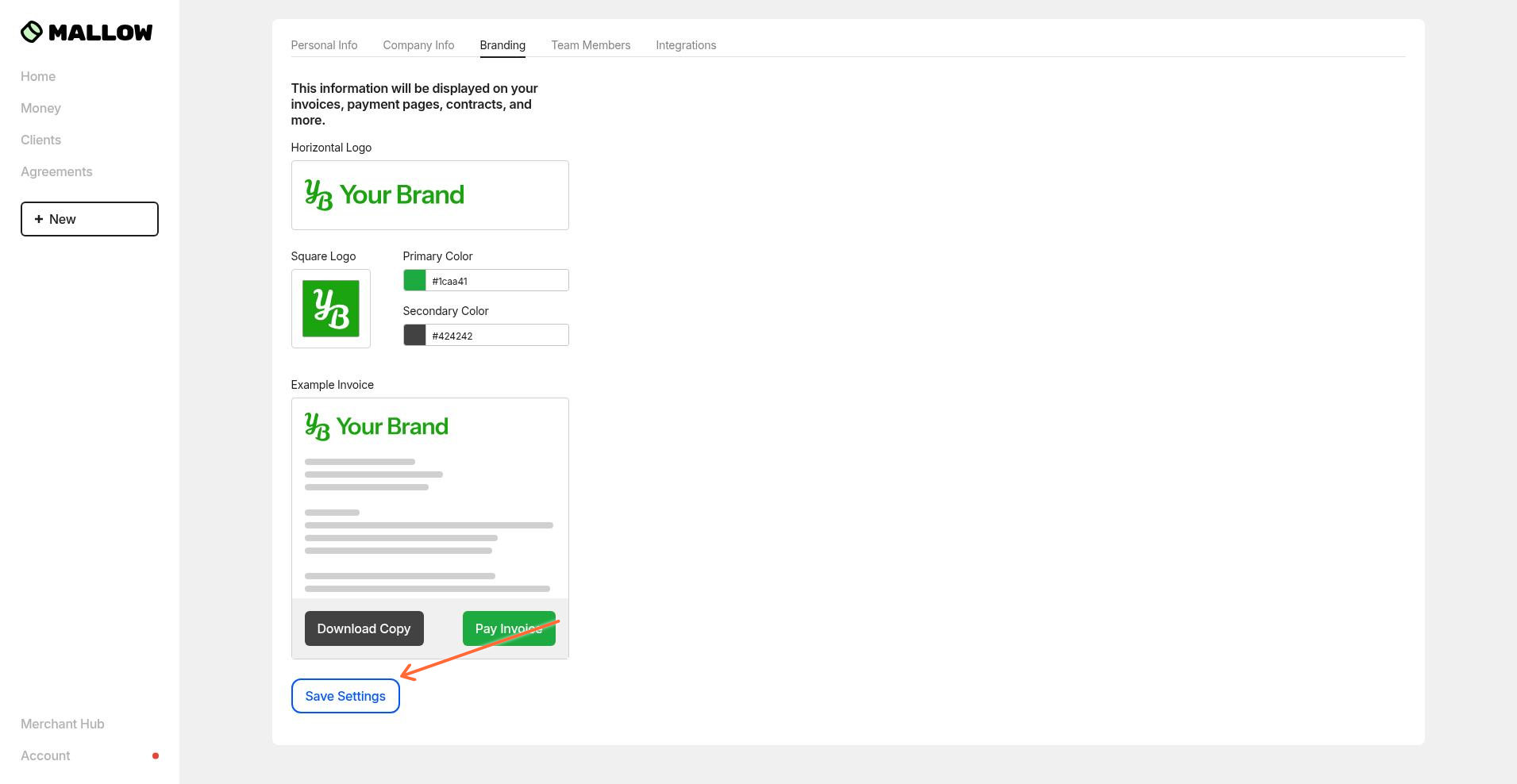
Upload your logos and brand colors in Settings → Branding to white-label invoices, payment pages, and client agreements.
Click Account in the bottom-left corner of the Mallow portal.
Select Settings from the menu.
Click the Branding tab in the top bar.
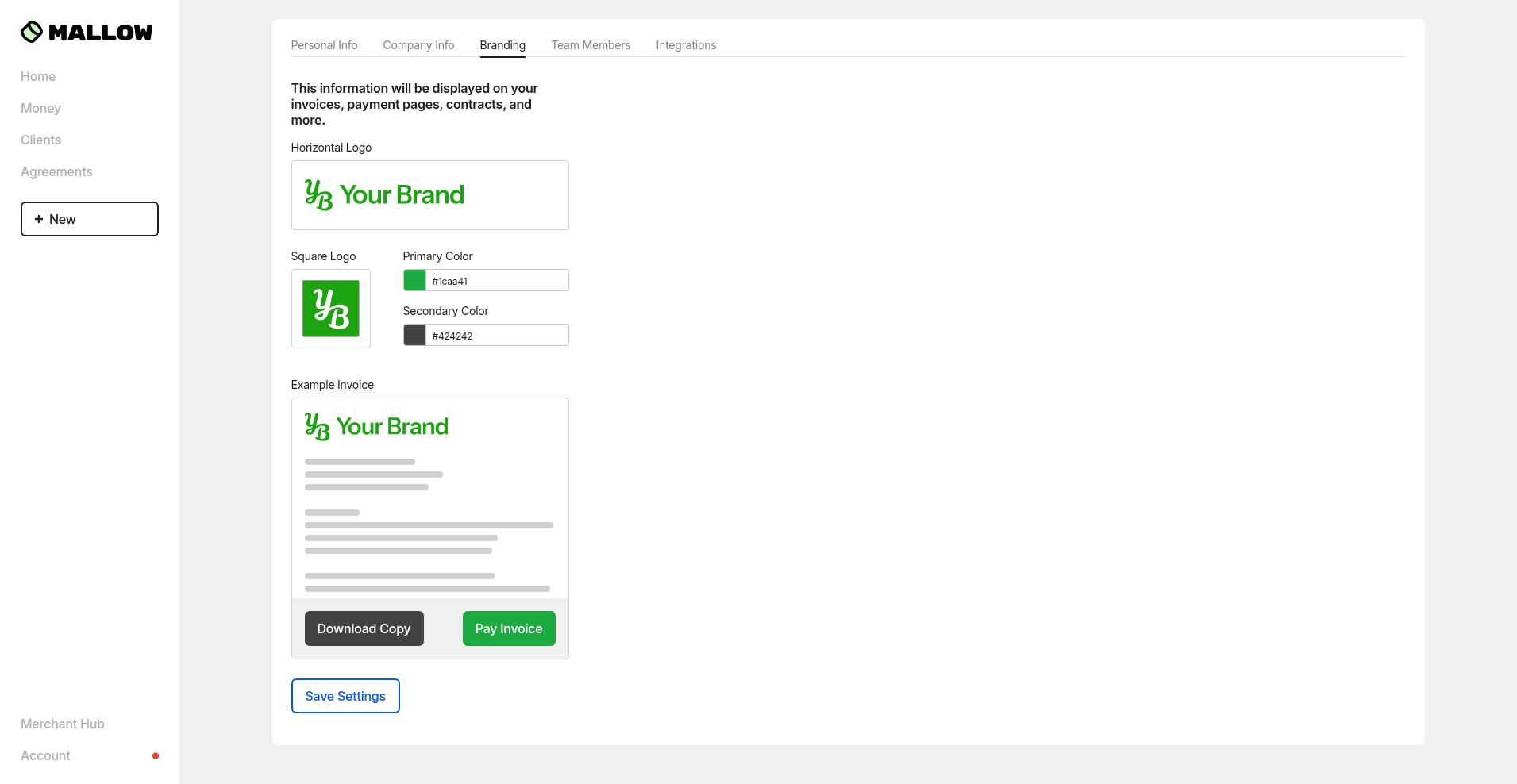
The branding page requires two logo uploads before you can save:
Horizontal logo — appears in the header of invoices, emails, success pages, and client portals.
Square logo — appears in client portals and favicon-sized spaces.
Upload each image into its corresponding field. The page will show a live preview of a sample invoice at the bottom.
Choose your primary and secondary brand colors using the color pickers. The primary color applies automatically to buttons, links, and accents across all client-facing pages and emails, and the secondary color applies automatically to secondary buttons in the same locations. You can select your colors manually using the eye-dropper tool, or you can input the exact color codes using RGB, HSL, or HEX codes.
After both logos are uploaded and your colors are set, click Save Settings at the bottom of the page. The changes take effect immediately on all new invoices, payment pages, and agreements.
Only admins can edit branding. Managers and viewers can view branding but cannot make changes.
Cause: The Save Settings button stays disabled until both a horizontal logo and a square logo are uploaded. Brand colors alone are not enough to save.
Fix: Upload both logo images. The button will become active once both fields have files.
Cause: The uploaded image may be too small or have the wrong aspect ratio.
Fix: Use a high-resolution PNG, JPG, or SVG image file. Horizontal logos should be wide and short; square logos should have a 1:1 aspect ratio.
Suggested sizes: Horizontal logos should be 1,000 px wide, and square logos should be 300 px wide.