PCI Compliance forms
To maintain a secure payment environment, all merchants are required to validate their PCI DSS Compliance within 90 days of receiving payment processing approval from Fiserv.
Watch for Your Credentials
Once your merchant underwriting is approved by Fiserv, you will receive an automated email from SecureTrust by Vikingcloud.
Note: Please keep an eye on your inbox (and spam folder) for this message. SecureTrust by Vikingclound is our authorized compliance partner; they provide the secure portal and login credentials you need to complete your validation.
90-Day Window
It is important to complete your validation promptly. You must submit your compliance documentation within 90 days of approval.
Non-Compliance Fees: While PCI compliance validation is not mandatory, failure to validate within 90 days will result in a $30 monthly non-compliance fee charged by Fiserv. This fee will recur each month until your validation is successfully completed.
Step-by-step Guide
Follow these exact steps to ensure your account completes PCI DSS compliance validation and remains in good standing:
Log in
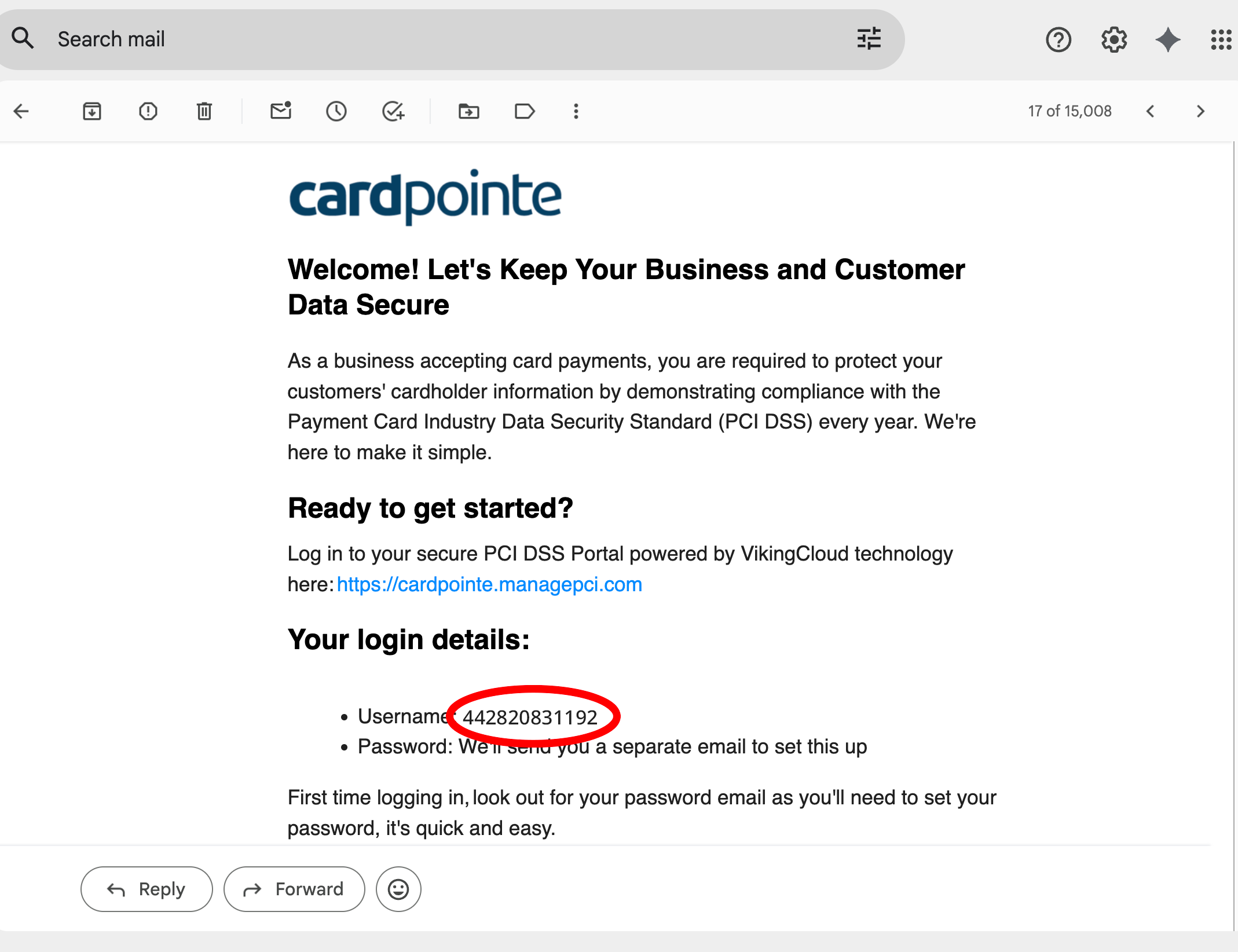
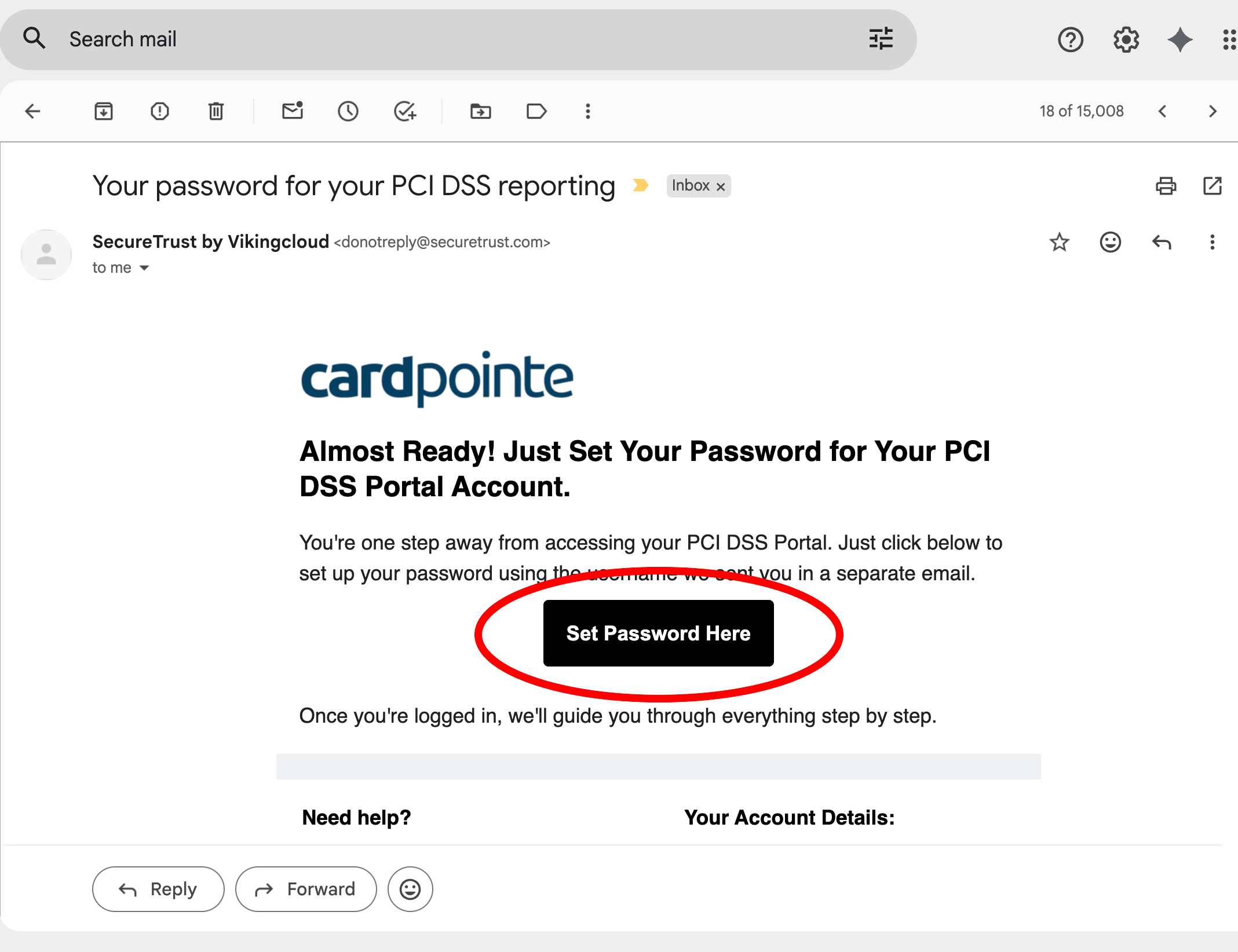
You will receive two separate email from SecureTrust by Vikingcloud. One email contains your Username, and the other contains a button to set your password. Copy your Username from the first email, then go to the Password email to log in.
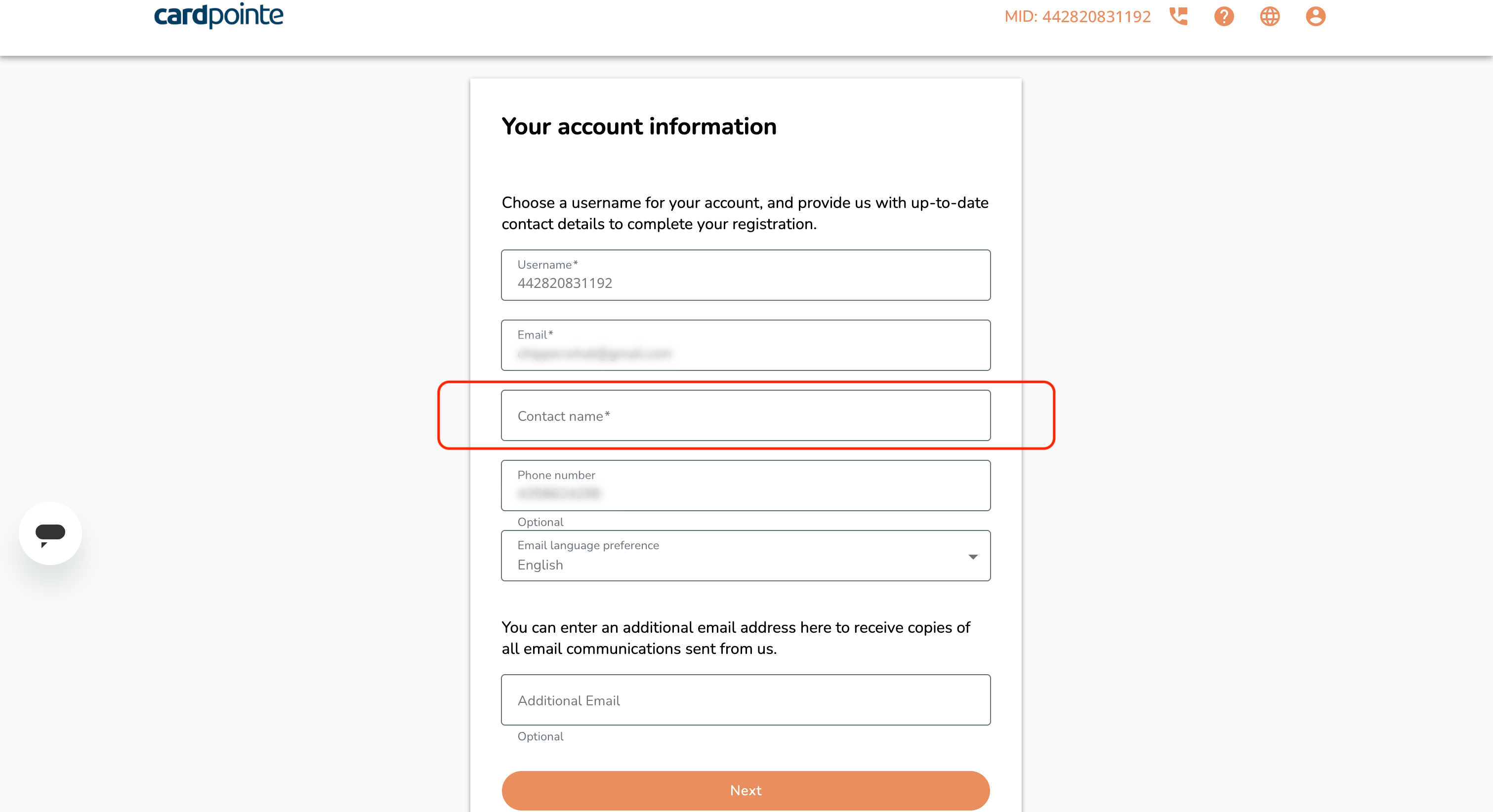
Enter your full name
Enter your full name in the "Contact Name" field. You may add an additional email address in the last field if you'd like, then click the Next button.
Begin the forms
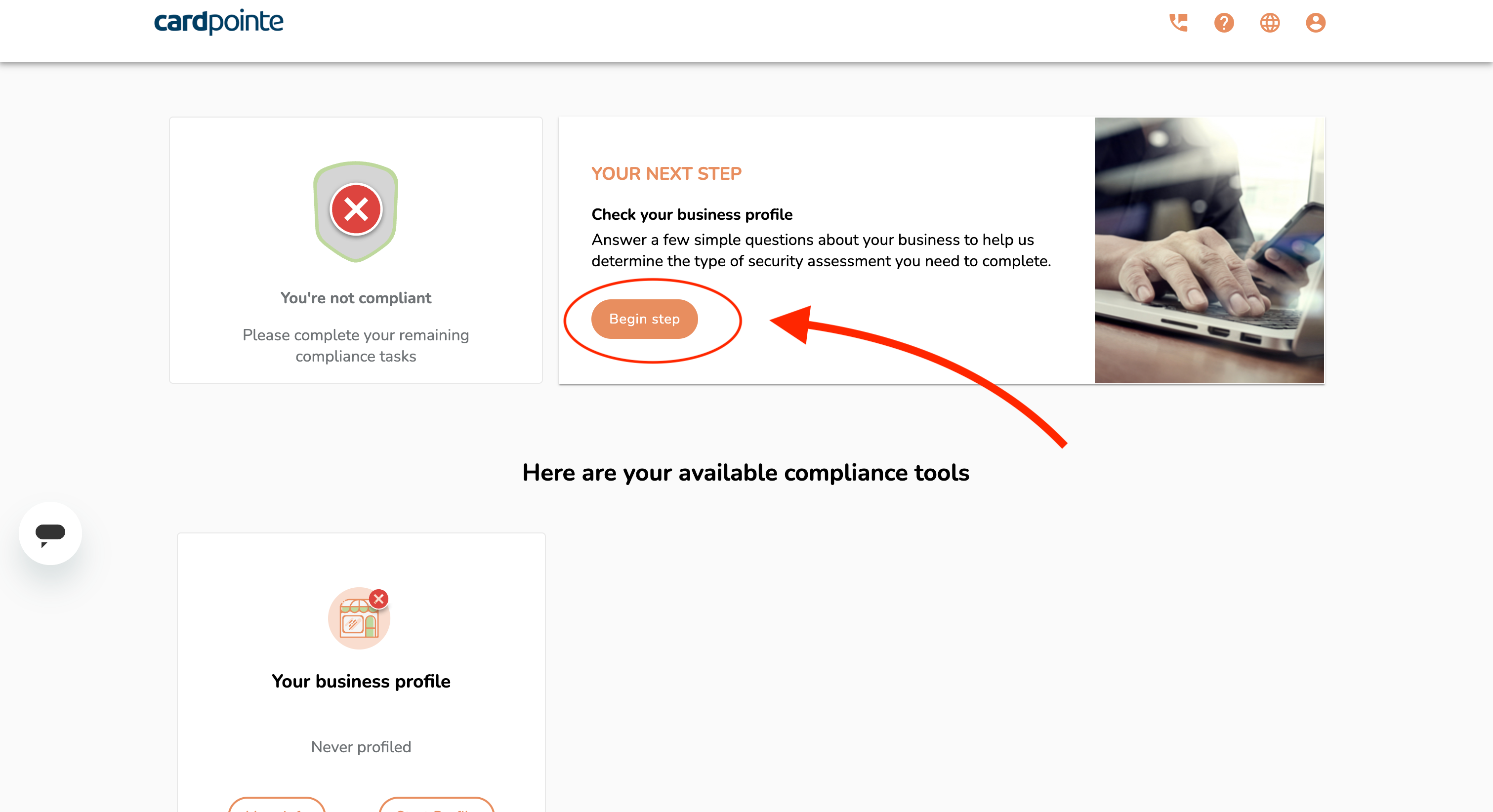
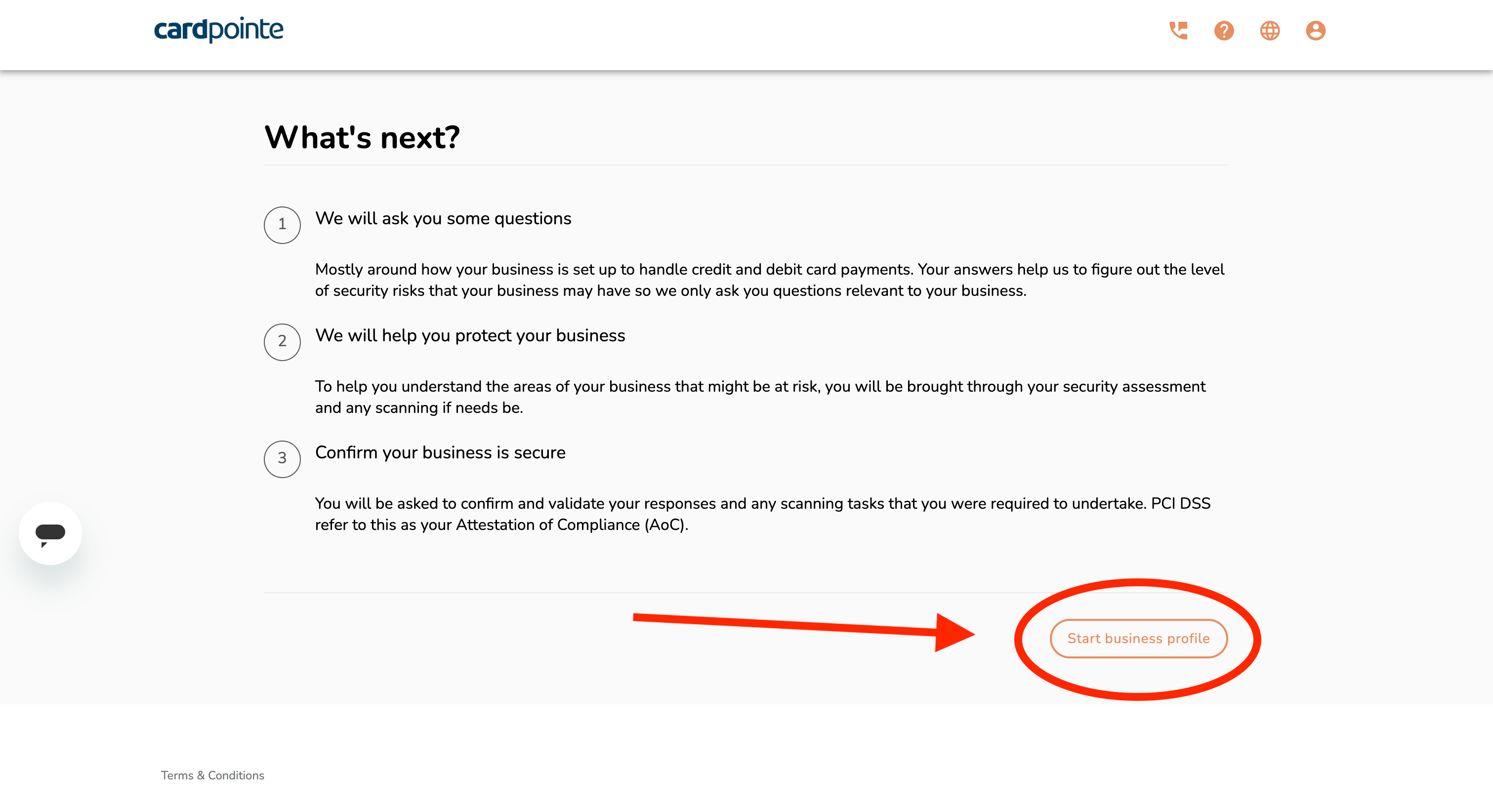
Click on the "Begin step" button, then the "Start business profile" button
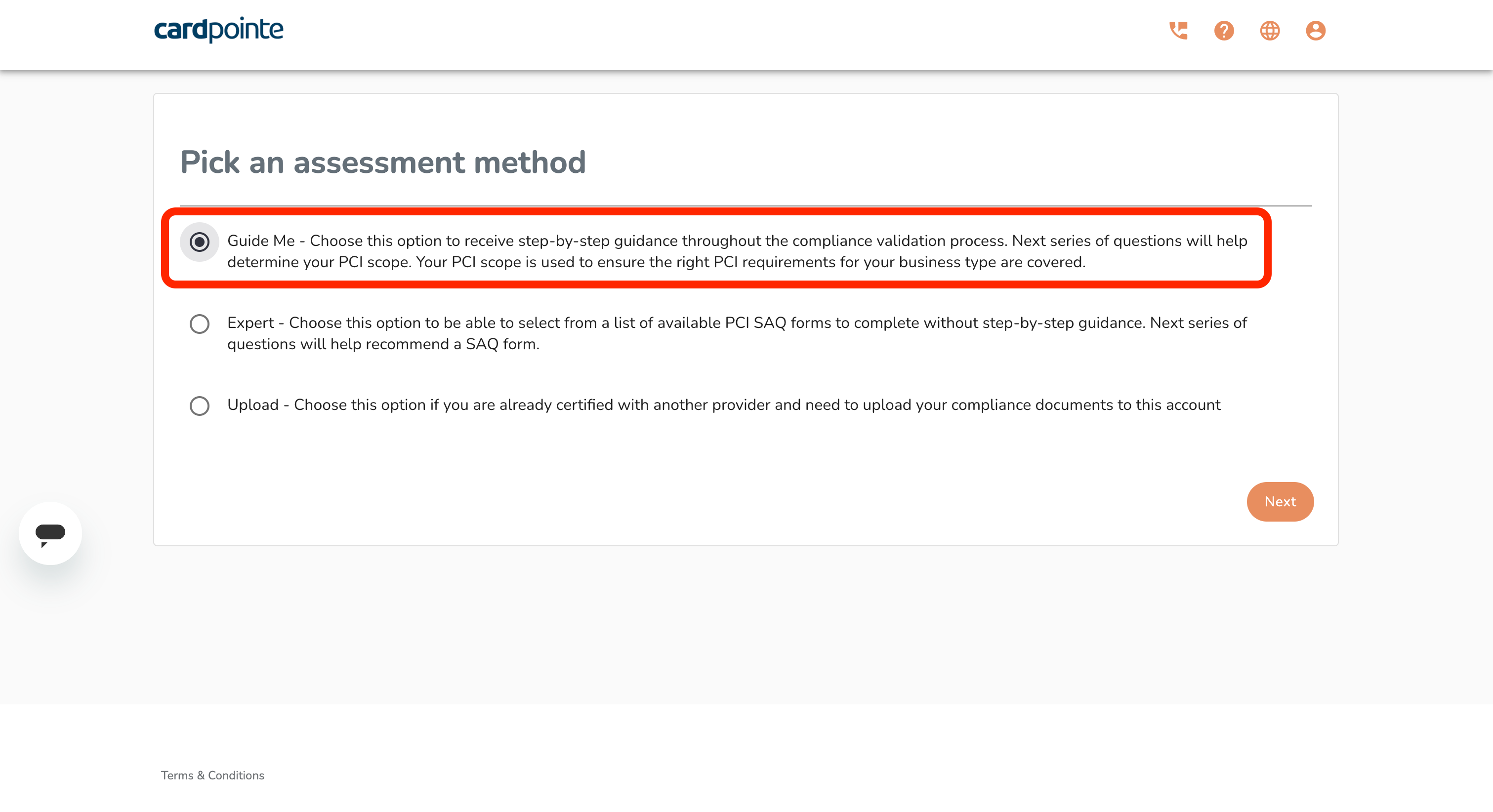
Select assessment method
Choose the "Guide Me" assessment method. Do not select a different option, as it will complicate your experience.
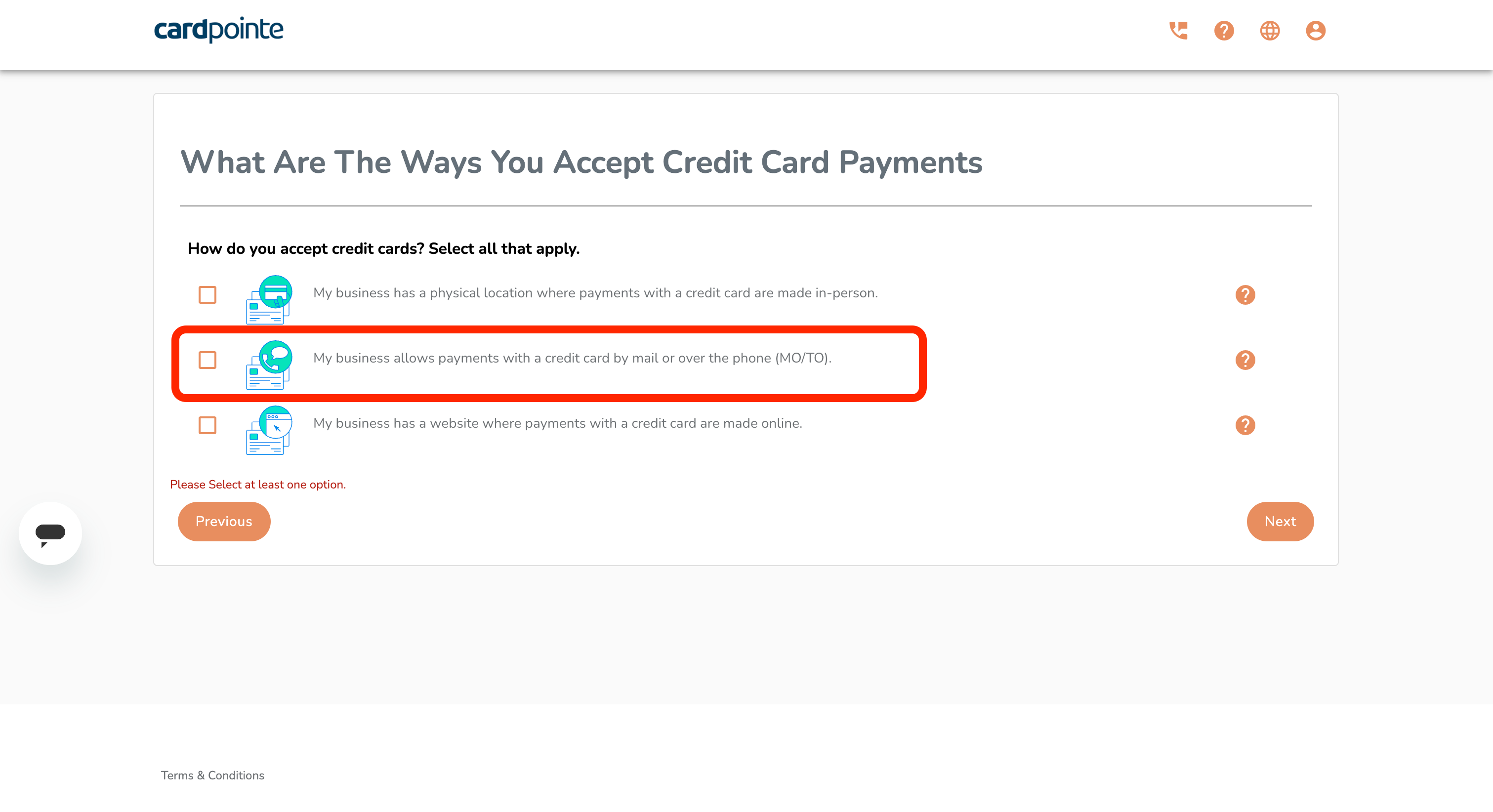
Credit card acceptance scenarios
Select only the middle option (MO/TO).
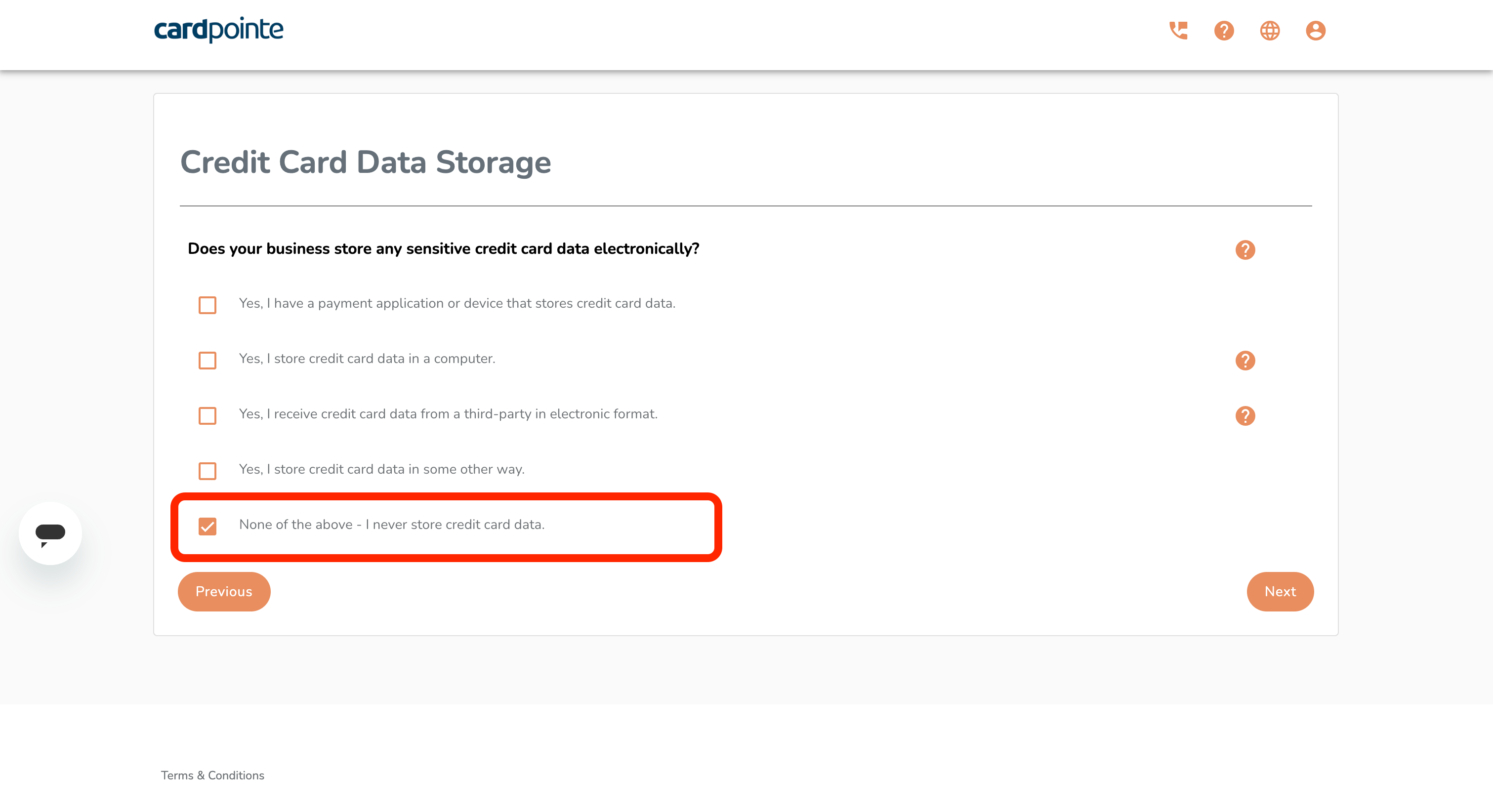
Credit card data storage
Select only the "None of the above" option.
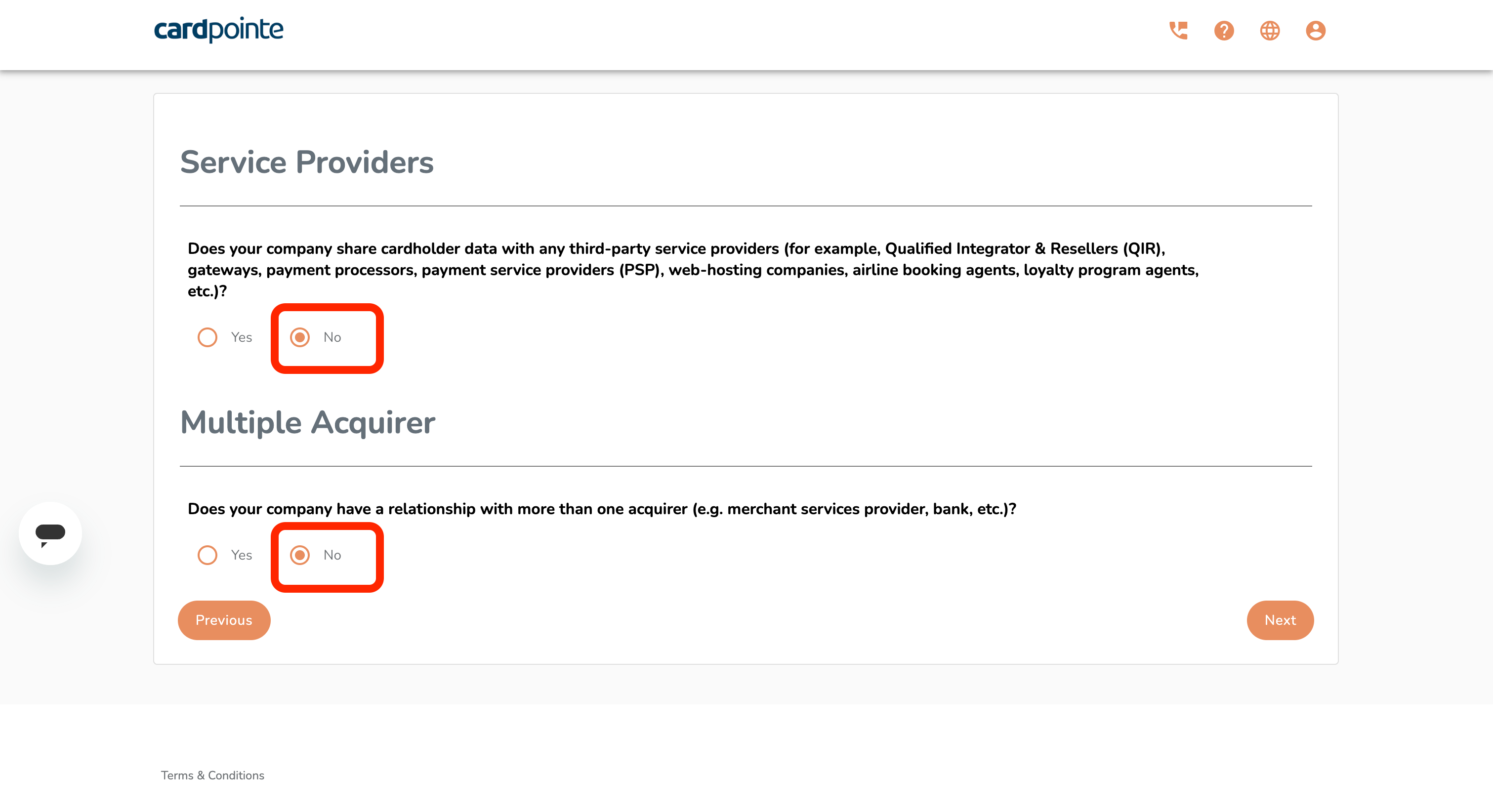
Service Providers and Acquirers
Select "No" for both questions.
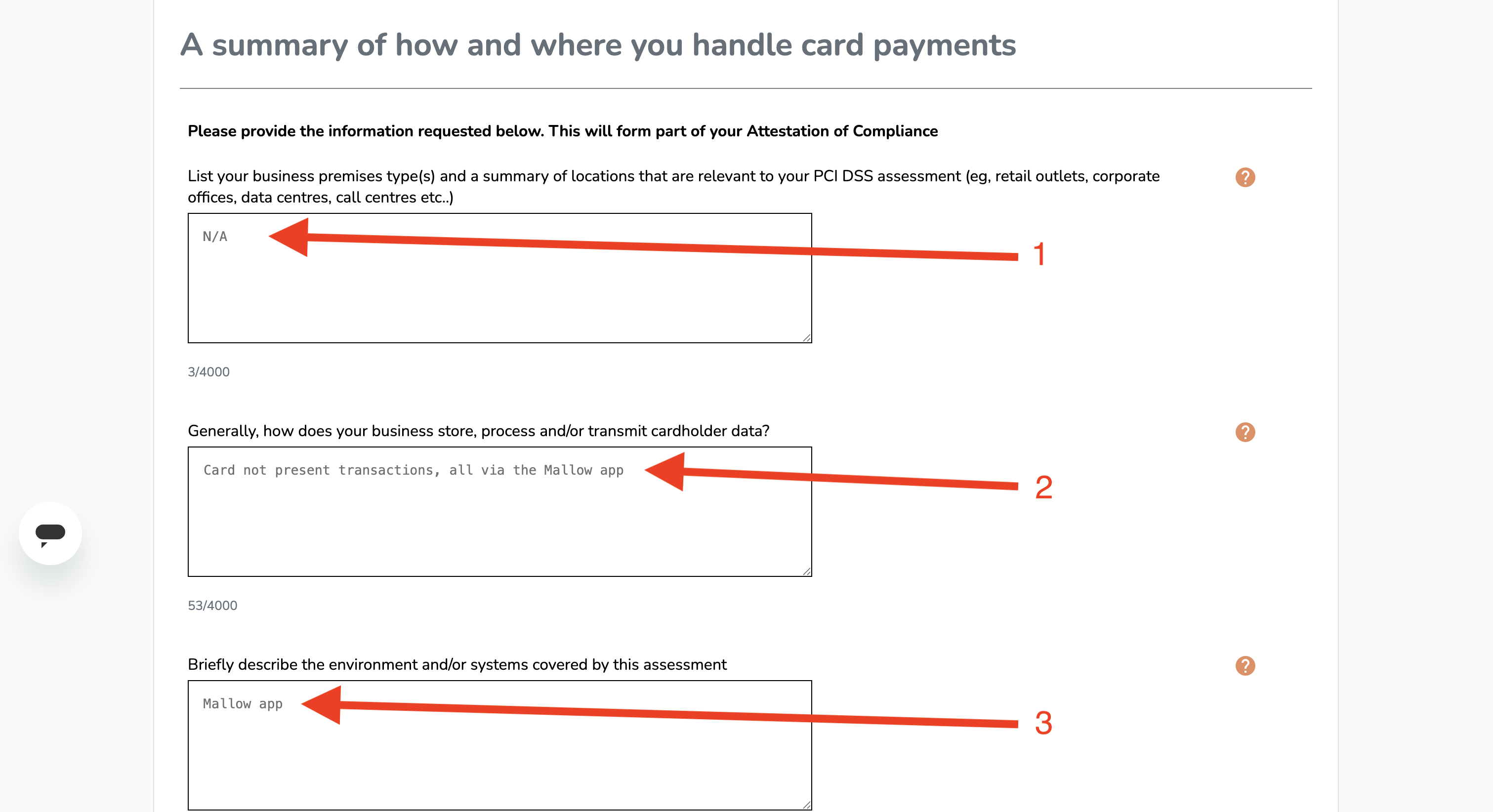
Handling card payments
Answer each question exactly as written below:
N/A
Card not present transactions, all via the Mallow app
Mallow app
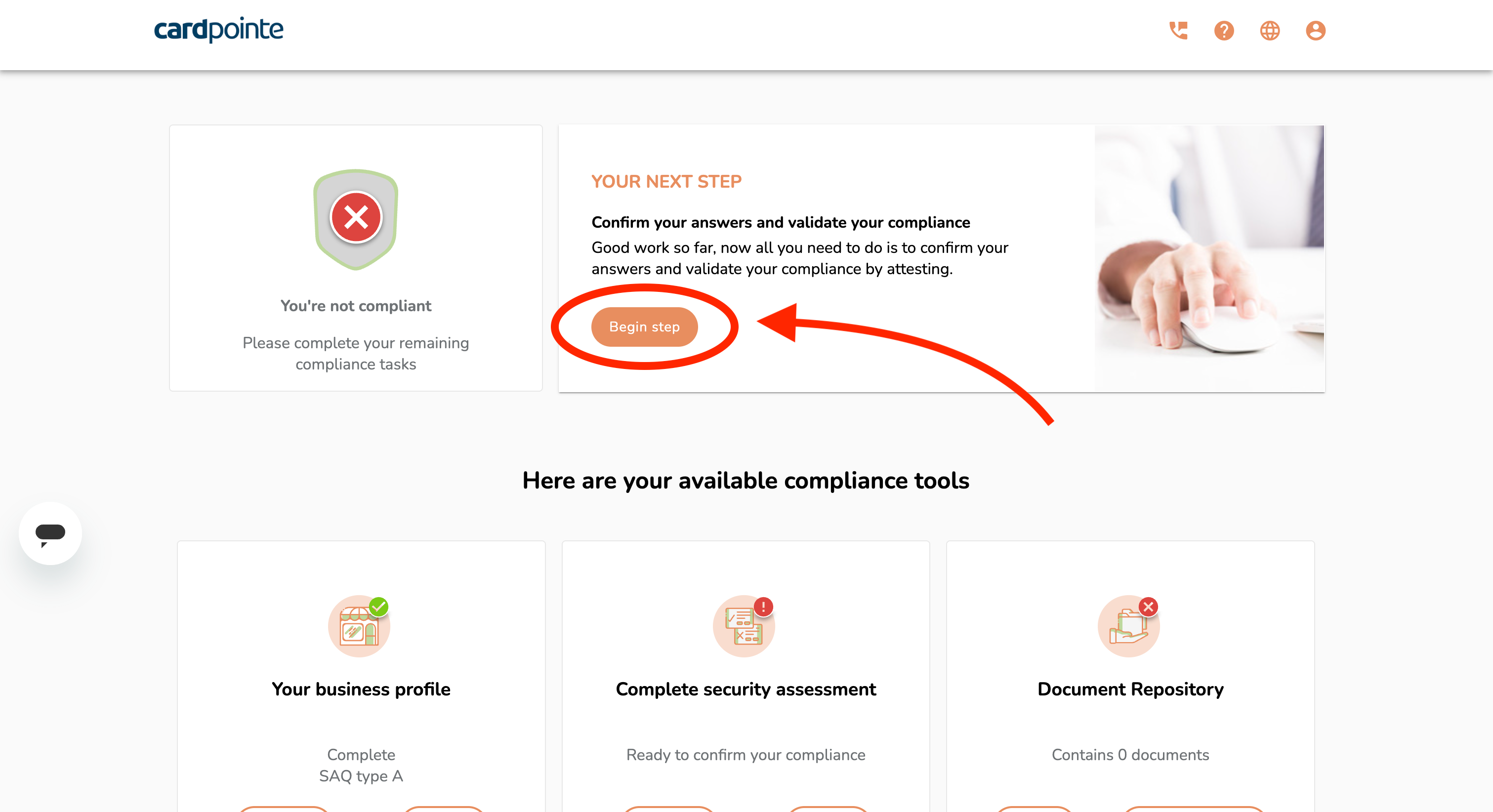
Confirm answers and validate compliance
Click on the "Begin step" button in the top section
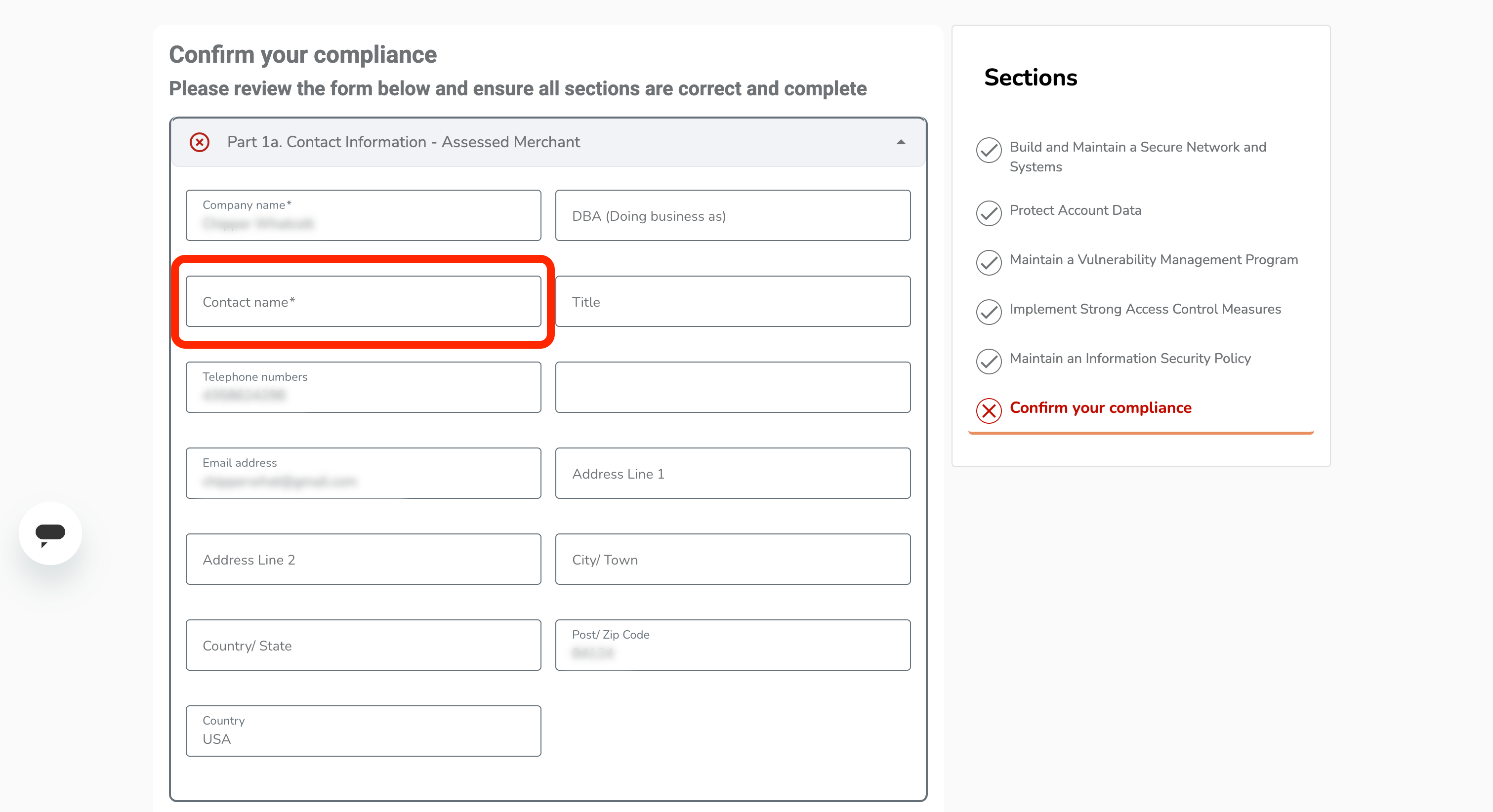
Part 1a. Contact Information - Assessed Merchant
Enter your full name in the "Contact name" field
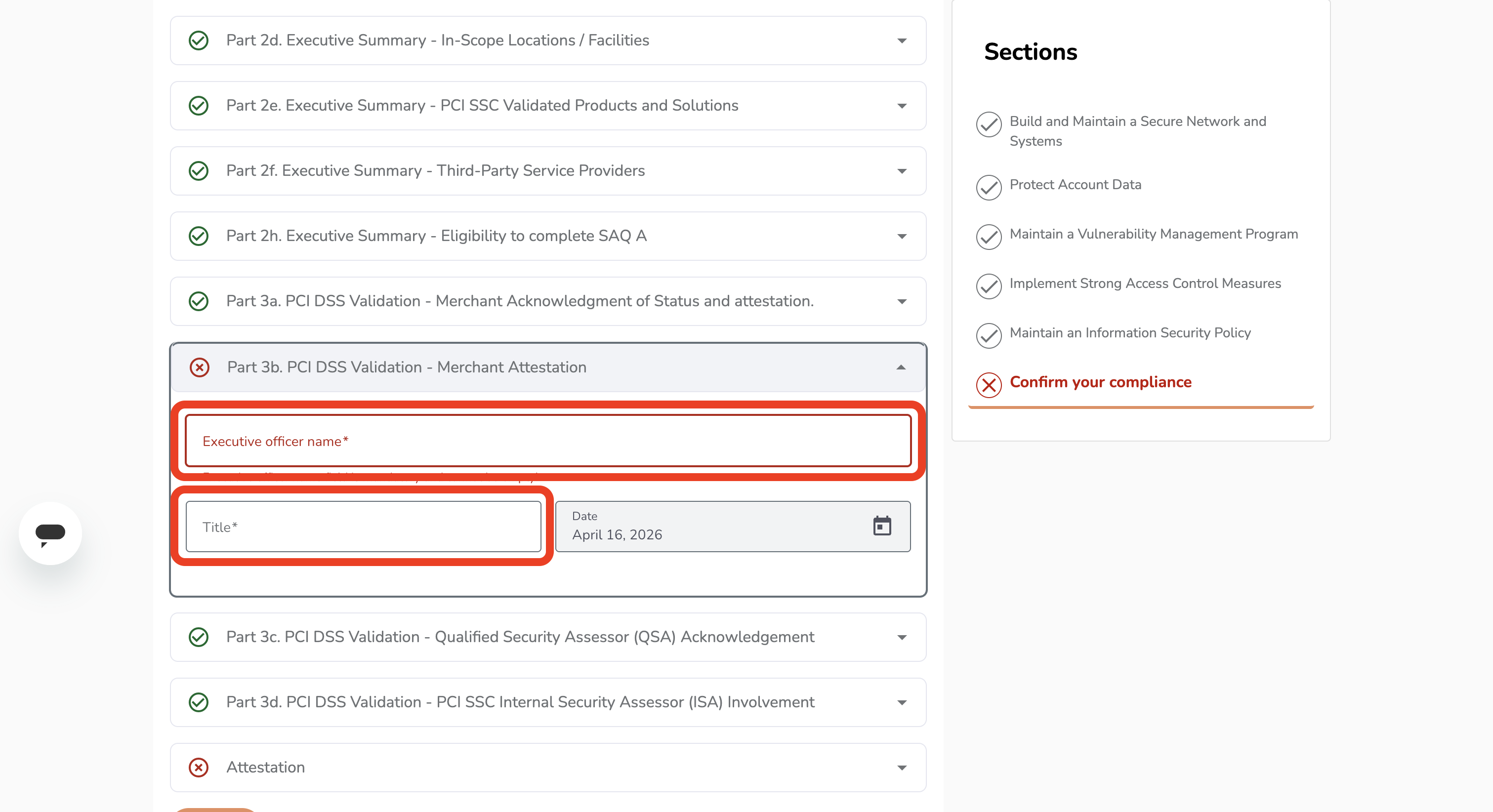
Part 3b. PCI DSS Validation - Merchant Attestation
Enter your full name in the "Executive officer name" field, and enter your role/title in the "Title" field
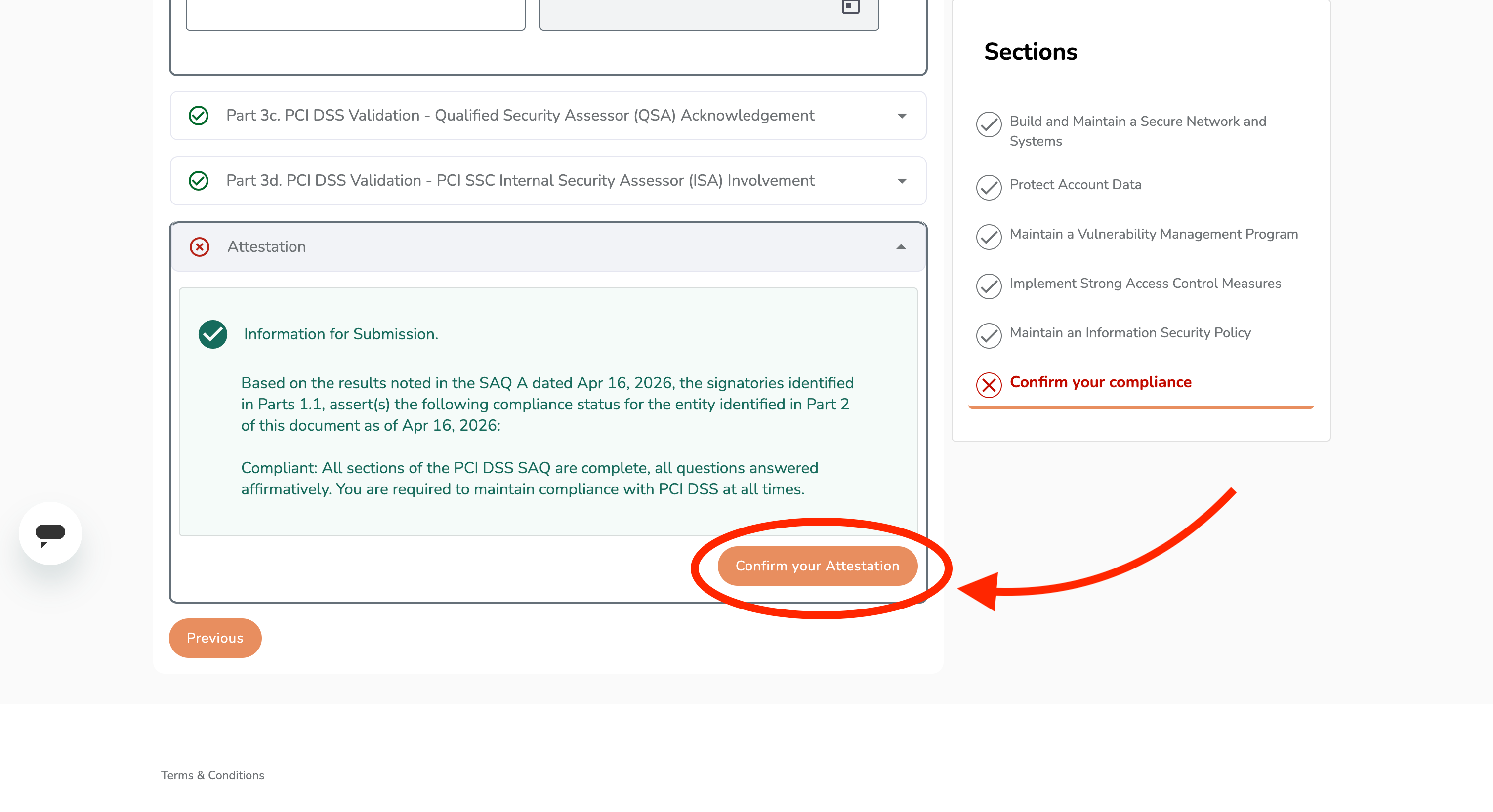
Attestation
Click on the "Confirm your Attestation" button
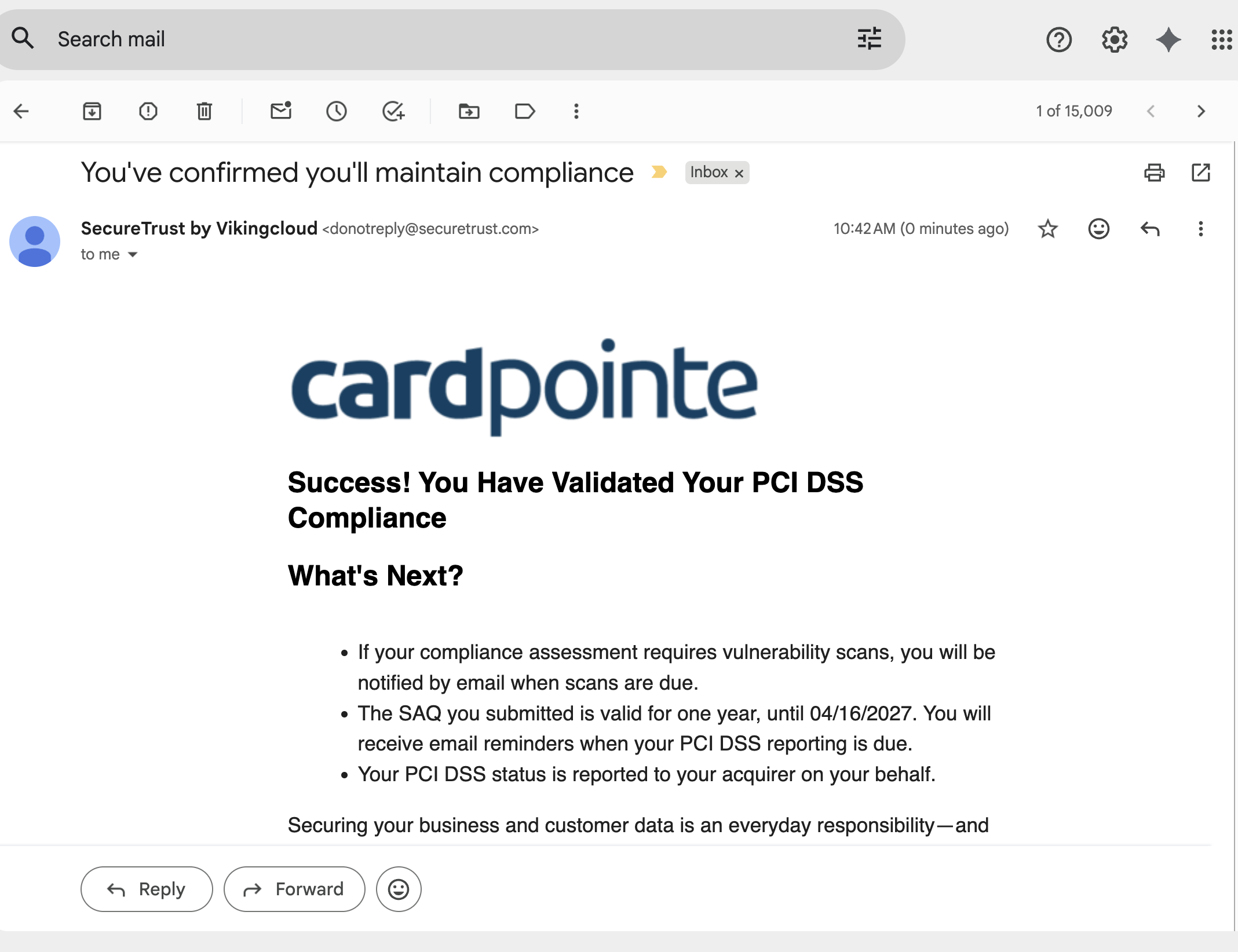
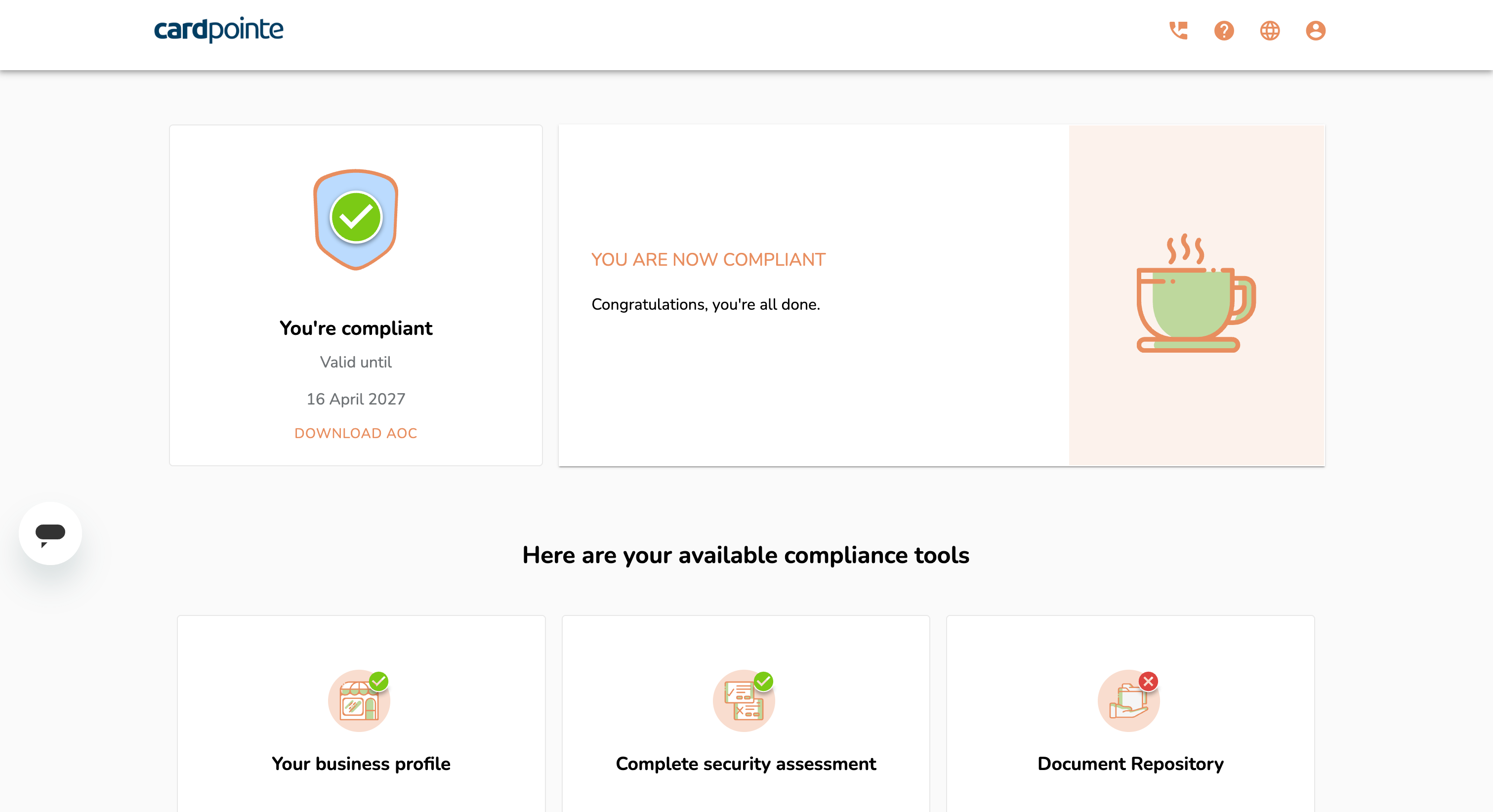
Complete!
When you see this screen, you've completed the compliance process.
You will also receive an email from SecureTrust by Vikingcloud to verify your compliance and remind you of the next date to re-fill these forms.