
Disconnect Mallow and QBO
You can disconnect the Mallow x QuickBooks Online integration from Mallow or from QuickBooks. Disconnecting from Mallow deletes your client-to-QuickBooks mappings but keeps your Mallow clients and invoices, so reconnecting requires a new reconciliation.
Disconnect from Mallow
This is the path that removes your client-to-QuickBooks mappings. Your Mallow clients and invoices are not deleted.
In Settings > Integrations, on the QuickBooks Online card, click Disconnect.
In the confirmation dialog, click Disconnect.
Mallow shows QuickBooks disconnected successfully.
Disconnect from QuickBooks
Use this path when you want to remove Mallow from your QuickBooks Online account instead.
Log into QuickBooks Online
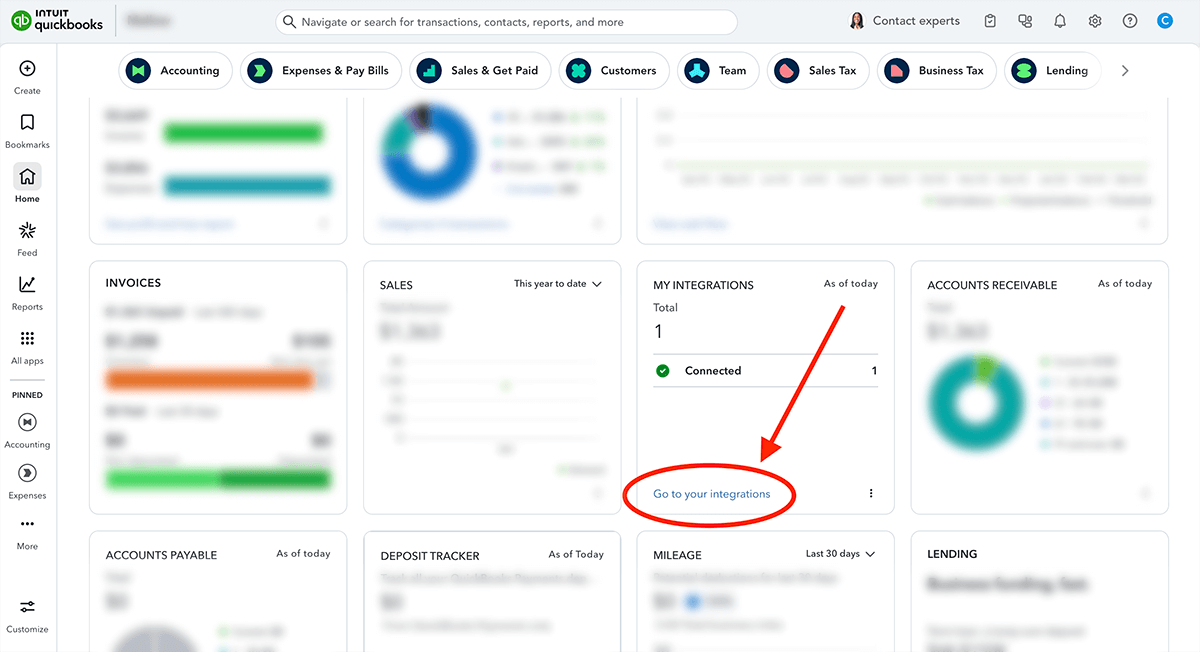
From your QBO dashboard, locate the "My Integrations" widget and click on the "Go to your integrations" link.
Disconnect the integration
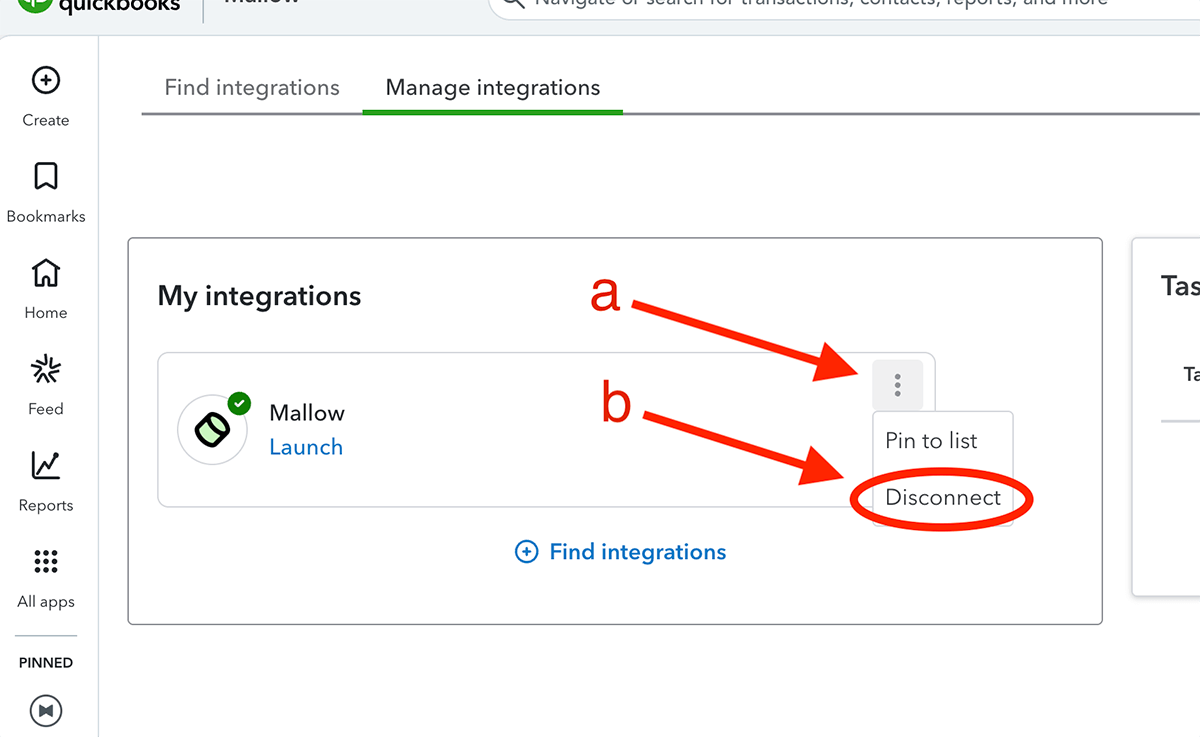
Locate Mallow in your list of connected apps and click on the 3 dots (a).
Select "Disconnect" from the drop-down menu (b).
Follow the on-screen instructions until the app has been successfully disconnected.
What happens next
Disconnecting from Mallow clears the QuickBooks connection and deletes every client-to-QuickBooks mapping for your account. Your Mallow clients and invoices stay intact.
When you reconnect, the QuickBooks Online card shows Sync instead of Disconnect. Opening Sync starts a new reconciliation: Mallow auto-matches clients by name, and you manually connect any unmatched Mallow clients to QuickBooks customers or create unmatched QuickBooks customers in Mallow before confirming the sync.